IELTS Words Quizzes app icon

IELTS Words Quizzes

Learn high-frequency IELTS vocabulary by speaking. The app reads you spoken hints that narrow down the answer, listens to your reply with real-time, noise-resistant speech recognition, and uses the Ebbinghaus forgetting curve to schedule reviews โ€” all on your device.

See how it works โ†“

What makes it different

๐ŸŽง Hands-free, voice-first

Hints are spoken aloud and you answer out loud. Perfect for practising pronunciation and recall at the same time.

๐Ÿ…ฐ๏ธ Academic or General Training

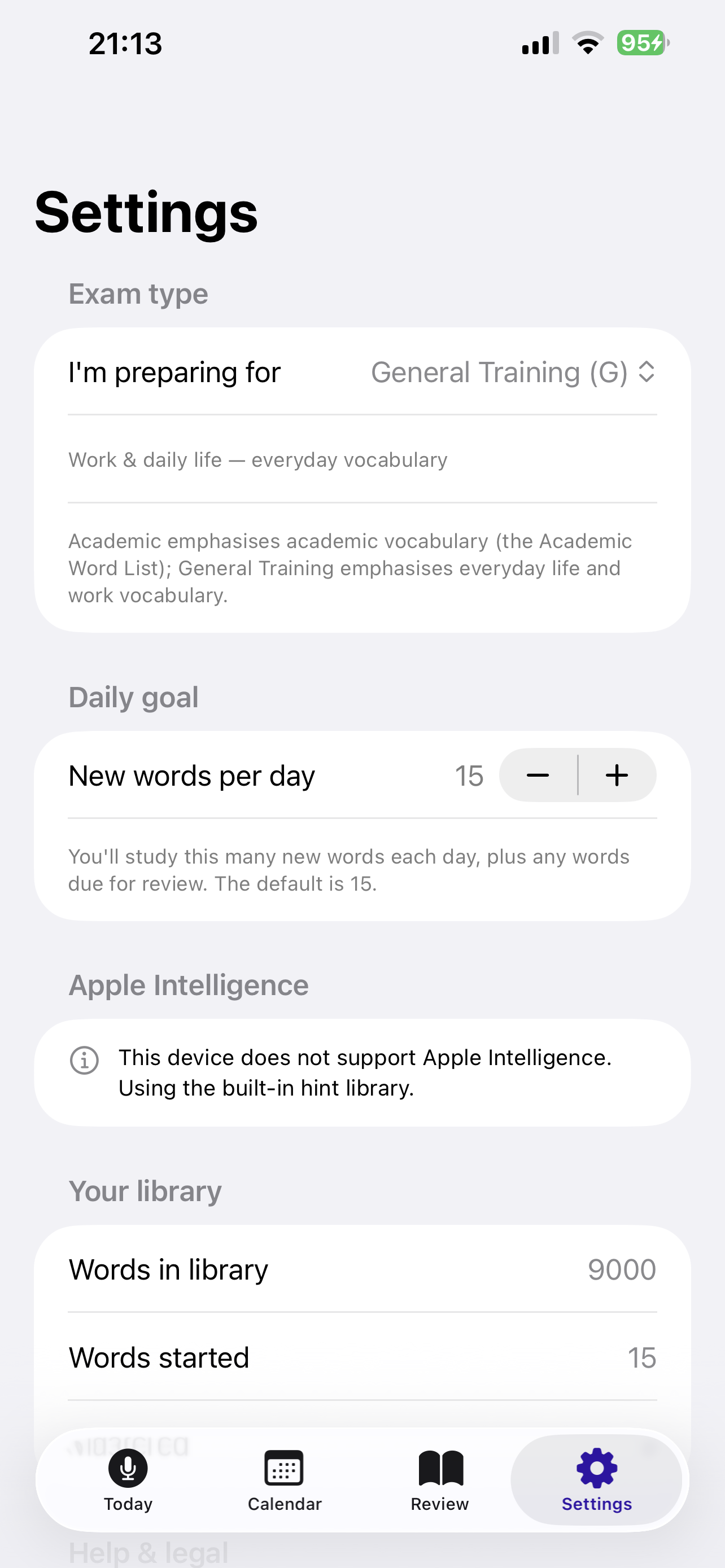
Choose your exam type in Settings. Academic (A) focuses on academic vocabulary (the Academic Word List); General Training (G) focuses on everyday life and work words.

๐Ÿ’ก Hints that narrow down

Three hints are ordered to step you closer to the answer: a broad definition first, then a synonym/antonym or feature, and finally a first/second-letter spelling clue.

๐Ÿ”‡ Built for noisy rooms

On-device voice processing applies noise suppression, echo cancellation, and automatic gain so your spoken answer stands out from background noise.

๐Ÿ“ Live transcription

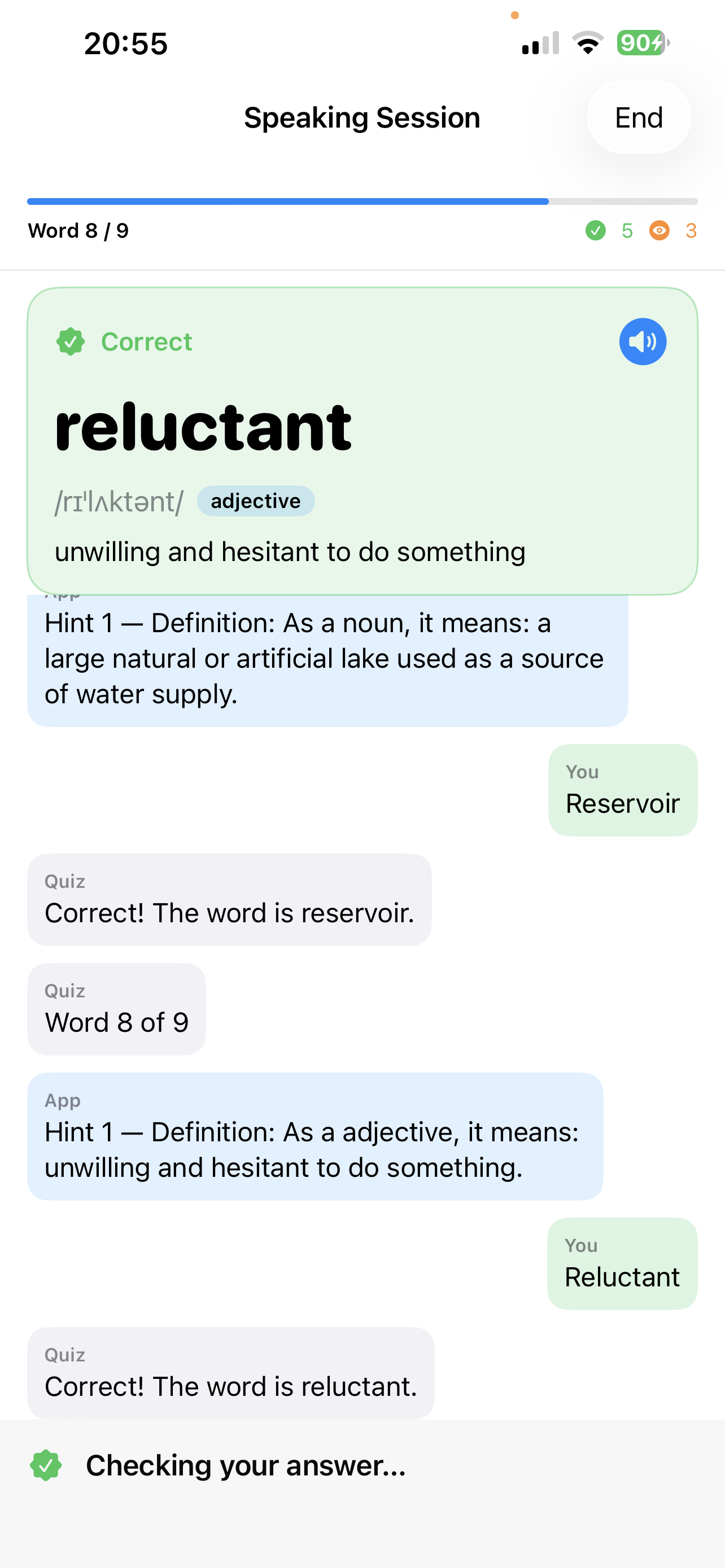
As you speak, your words appear on screen in real time, so you can see exactly what the app heard before it checks your answer.

๐Ÿง  Apple Intelligence ready

On supported devices, hints can be generated dynamically by the on-device Foundation model. Otherwise a built-in hint library is used.

๐Ÿ“ˆ High-frequency first

The bundled dictionary tags the most common, most tested IELTS words so you study what matters most, first.

๐Ÿ” Smart spaced repetition

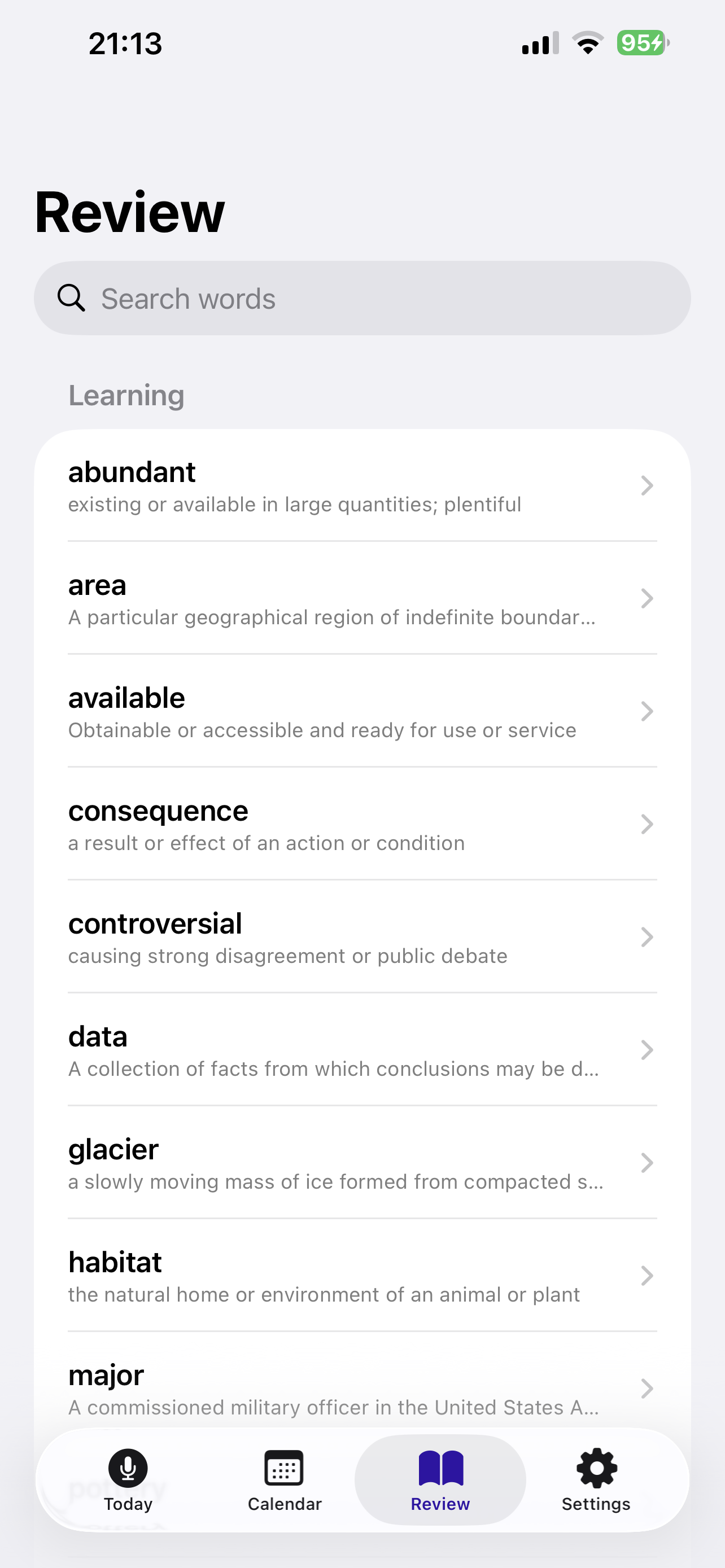
Words you learn are automatically resurfaced on an Ebbinghaus schedule (1, 2, 4, 7, 15, 30, 90 days) so they stick.

๐Ÿ—“๏ธ Calendar tracking

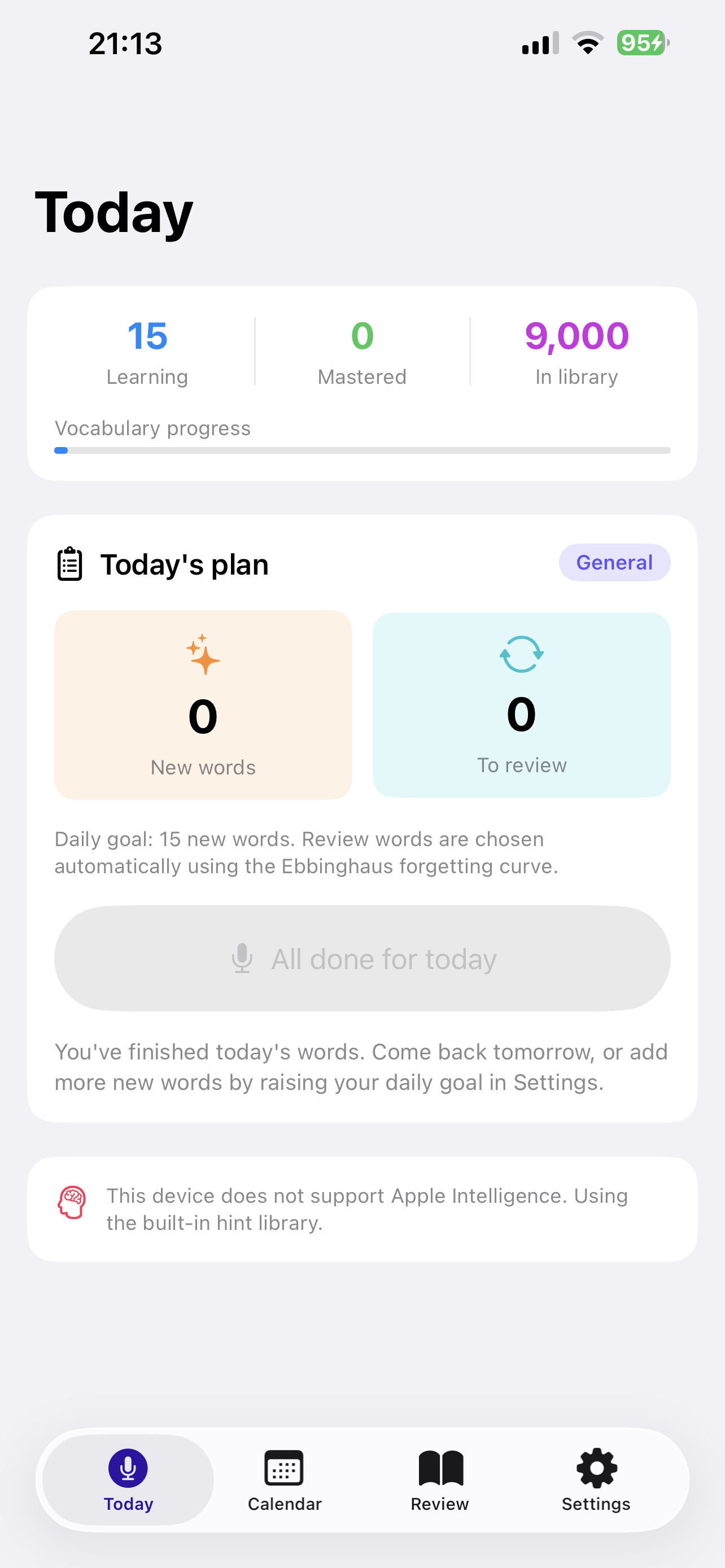
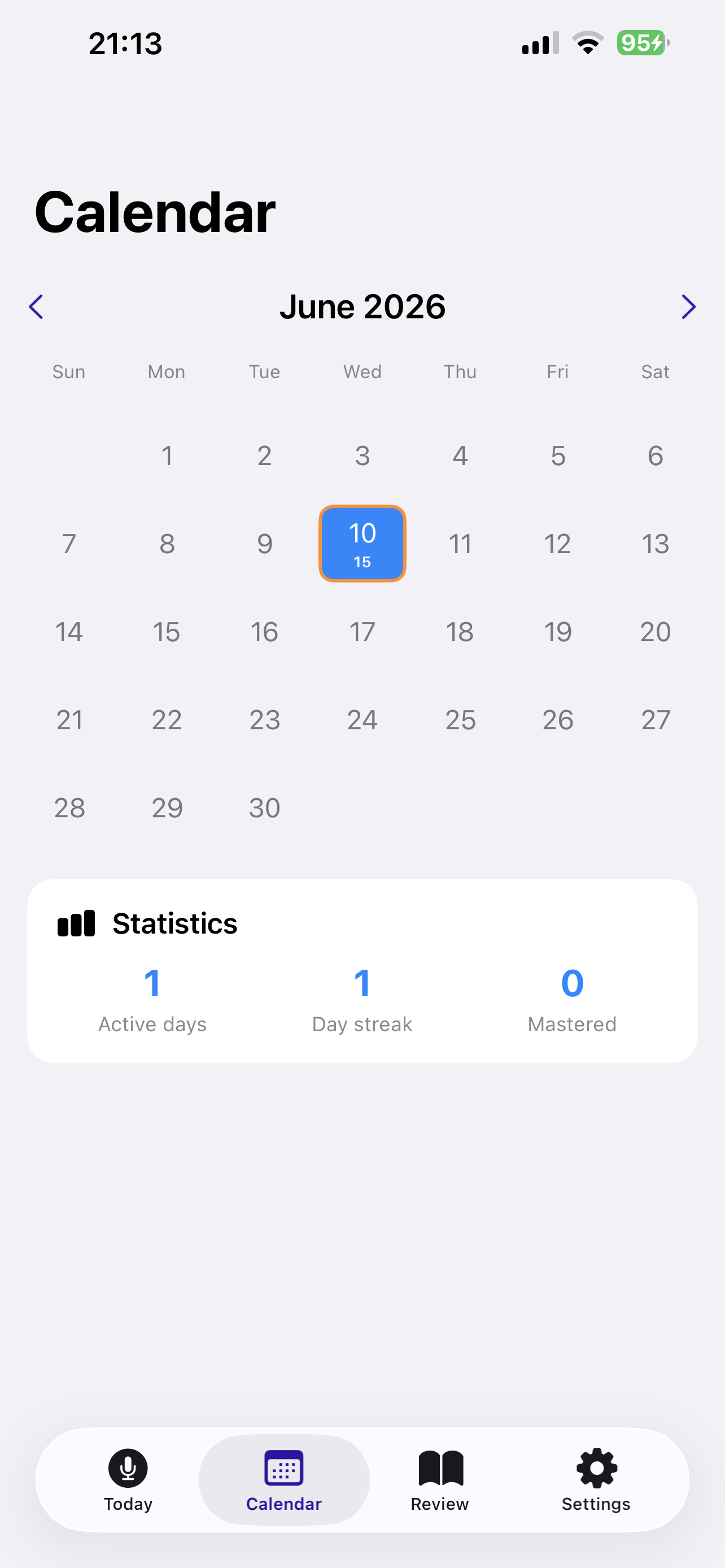
A study calendar shows your streaks and lets you revisit the exact words you practised on any day.

How a speaking round works

1

Listen to the first hint

The app speaks the broadest clue first โ€” usually the definition. Each later hint narrows the answer further (a synonym or feature, then a spelling clue), so you always start wide and close in.

2

Wait for the beeps

After the hint you'll hear a three-beep cue (di‑di‑di) spaced about a second apart. That's your signal to answer.

3

Say the word

The microphone is already listening the instant the beeps end, so nothing is missed. Your words appear on screen in real time, and the app keeps listening until you finish speaking before checking your answer. If you stay silent, the next hint is offered automatically.

4

Another chance or finish

If you answer incorrectly before the last hint, the app asks โ€œAnother chance, or finish? Say A or F.โ€ Choose to keep going with more hints, or finish and hear the answer.

5

See the answer & review later

The result appears in a highlighted answer card showing the word, pronunciation, part of speech, and definition โ€” with a tap-to-replay button. Every word you study is saved to your review list and rescheduled for the future.

Screenshots

A quick tour of the app, captured on iPhone.

Today screen showing the daily study plan, vocabulary progress, and exam-type badgeToday & daily goal
Speaking session with the highlighted answer card and the live conversation transcriptVoice Q&A & answer card
Settings screen with Academic or General Training exam type and the daily goal stepperExam type & goal
Calendar tracker with study streak and statisticsCalendar tracker
Review list of learned words grouped by mastery, with searchReview & mastery
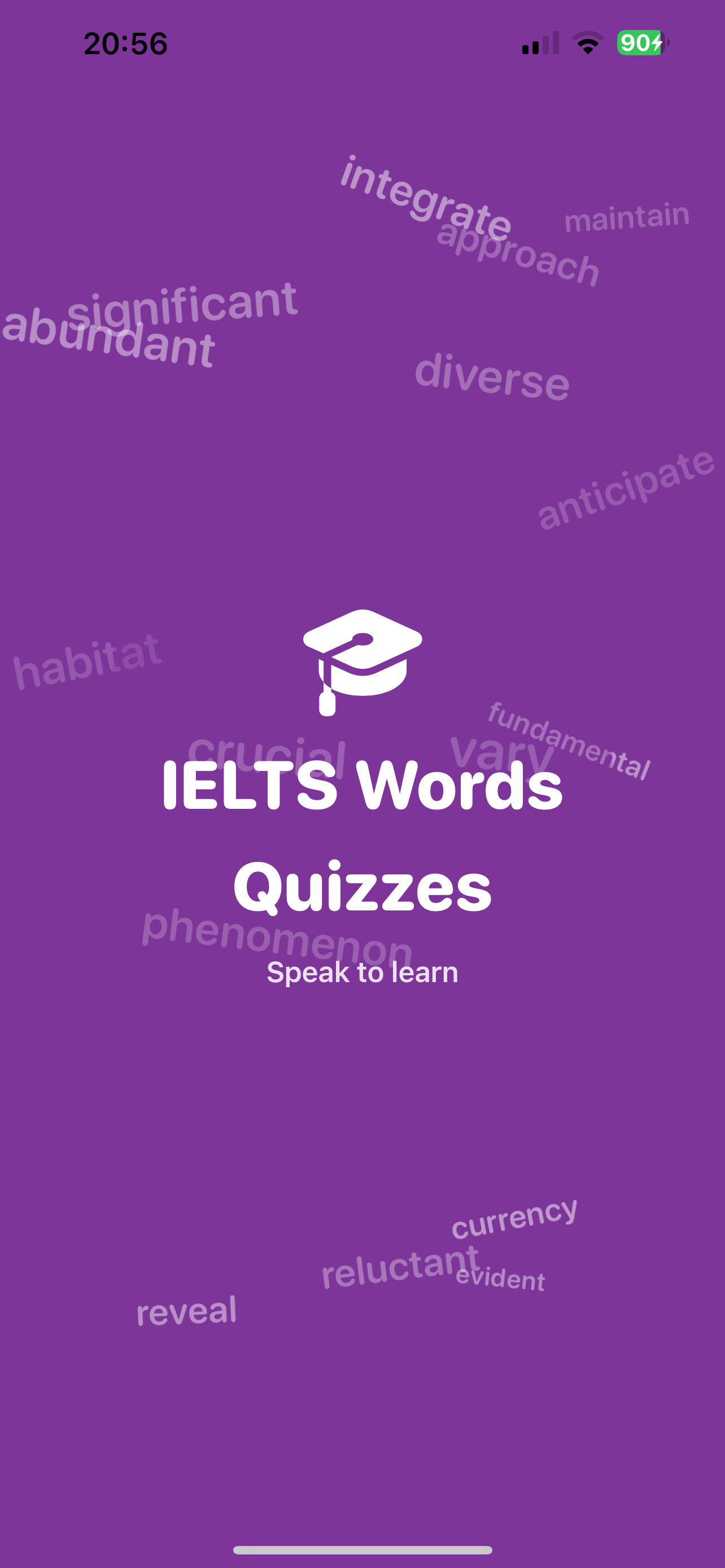
Animated launch screen with IELTS words scattered around the titleLaunch screen

Getting started

โ‘ 

Allow microphone & speech access

On first launch, tap Allow when asked for microphone and speech recognition. These power the spoken quiz and never leave your device.

โ‘ก

Choose your exam & daily goal

Open Settings and pick Academic (A) or General Training (G) so the vocabulary matches your test, then choose how many new words to learn each day. The default is 15; raise it any time.

โ‘ข

Tap โ€œStart speaking sessionโ€

From the Today tab, start the session and answer out loud. Wear headphones with a mic for the best recognition.

Frequently asked questions

Does the app work without an internet connection?

Yes. The dictionary, speech recognition, narration, and scheduling all run on your device. An internet connection is not required to study.

It didn't hear me. What can I do?

The app uses on-device voice processing (noise suppression, echo cancellation, and automatic gain) and shows your words live as it hears them, so it works well even in noisy rooms. For best results, speak clearly right after the three beeps and make sure the app has microphone permission (Settings โ†’ IELTS Words Quizzes). Headphones with a microphone improve accuracy further. Speech recognition is most reliable on a physical iPhone or iPad.

In what order are the hints given?

Hints are ordered to progressively narrow the answer: Hint 1 is a broad definition, Hint 2 is a closer synonym/antonym or distinctive feature, and Hint 3 is always a spelling clue (the number of letters and the first one or two letters).

What is the Ebbinghaus forgetting curve?

It's a well-known model of how memory fades over time. The app reviews each word at growing intervals (1, 2, 4, 7, 15, 30, 90 days) so you revisit words right before you're likely to forget them.

Do I need Apple Intelligence?

No. On compatible devices the app can generate fresh hints with the on-device model, but a complete built-in hint library is always available as a fallback.

How is my privacy protected?

The app does not collect or upload your personal data. See the Privacy Policy for full details.

Feedback & support

Questions, bug reports, or ideas to make the app better? We'd love to hear from you. Email us and we'll get back to you as soon as we can.

โœ‰๏ธ support@example.com